The short answer: buy the converter if your desk is 24 inches deep or more and you like it, and replace the desk if it is shallower than that. A converter sits on top of the desk, so it inherits whatever depth the desk already has and then spends some of it on a keyboard tray. On a shallow desk that is the wrong trade, and a compact electric desk costs about the same.
The two solve the same problem from opposite ends. A converter is a riser you drop on the worktop you own — no assembly, no disposal, and it comes off when you move. A standing desk replaces the furniture and gives a flat top at every height.
In a small room a third factor decides it more often than either of those: what the thing looks like when it is down. A converter at its lowest setting still has a keyboard tray and a frame on the desk. A standing desk at its lowest setting is a desk.
How to shop for a sit-stand setup
What it does to depth
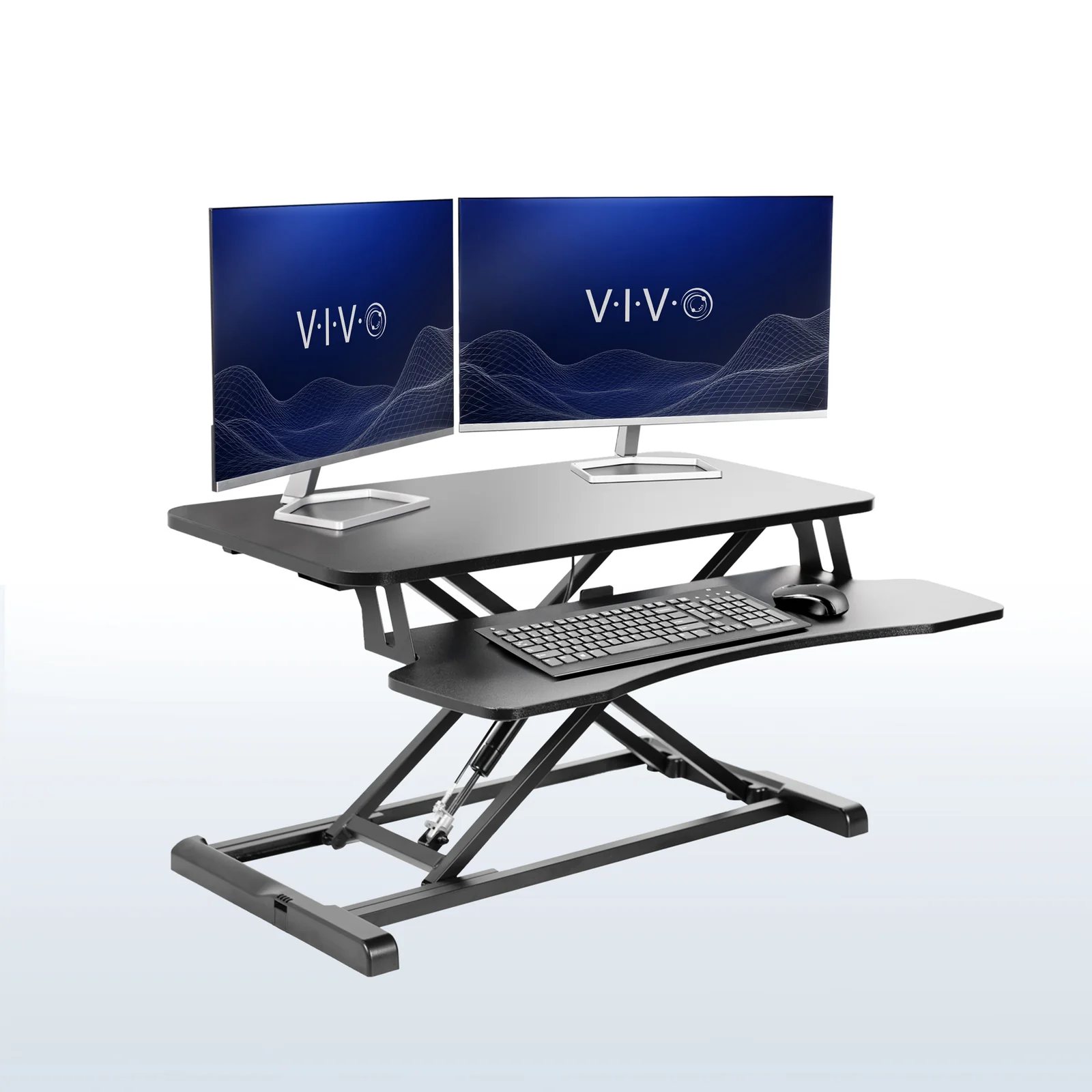
A converter's keyboard tray sits over the desk edge, so usable depth behind it shrinks. The VIVO K Series top is 15.7 inches deep, the Mount-It! MI-7957 is 18.
The low position, not the high one
You spend most of the day at the low setting. A converter's lowest is 4.5 inches on the VIVO and 5 on the Mount-It! — a permanent step. A standing desk's low position is a flat top at 28.7 inches.
Published weight capacity
Both converters publish 33 lb for the desktop and about 4 for the keyboard tray. A 27-inch monitor on an arm exceeds that, which most people discover after buying.
What it costs against a whole desk
A compact electric standing desk here costs less than one of the two converters. Once that is true, the converter's only argument is the desk you already own.
Best standing desk for a small room
Image: Mount-It!
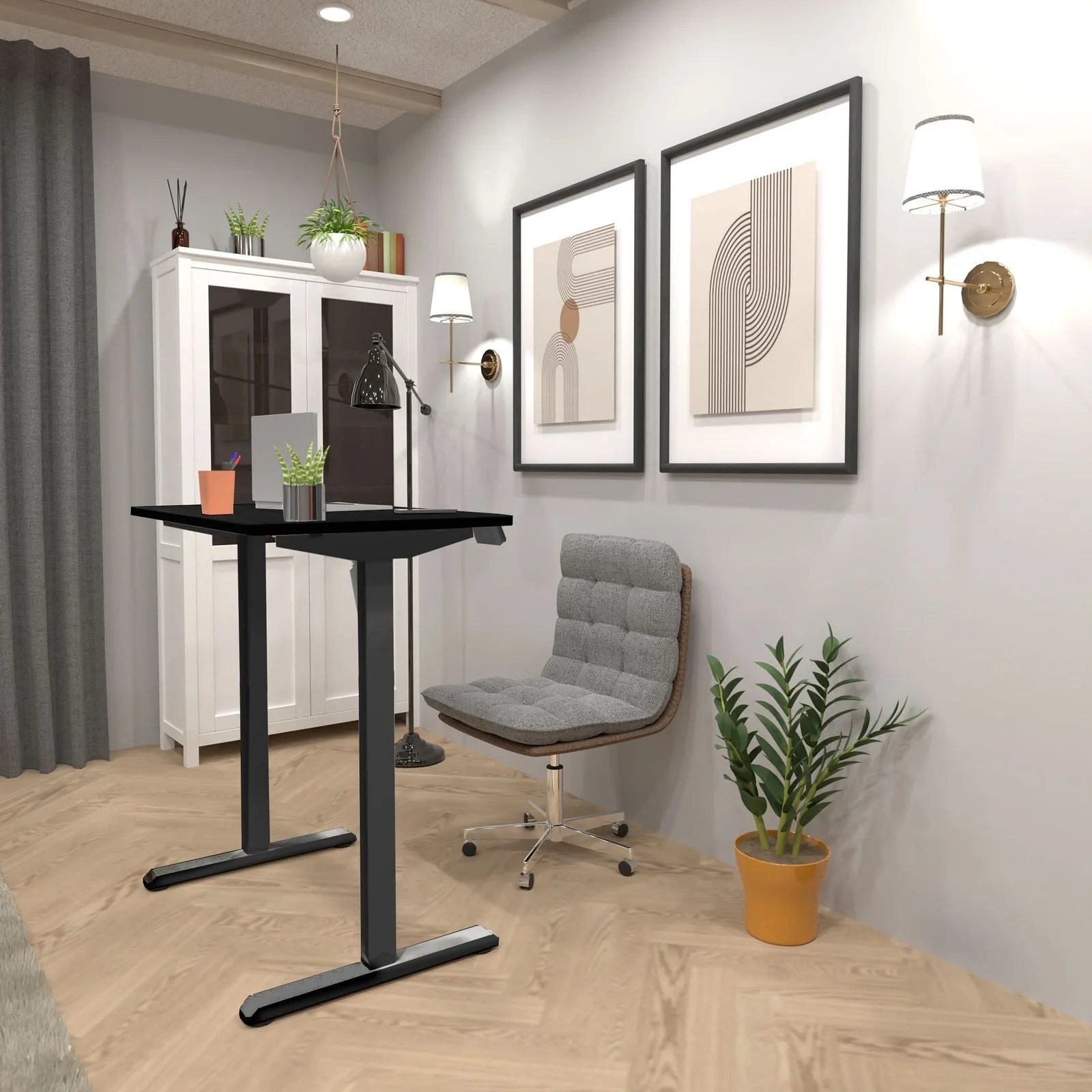
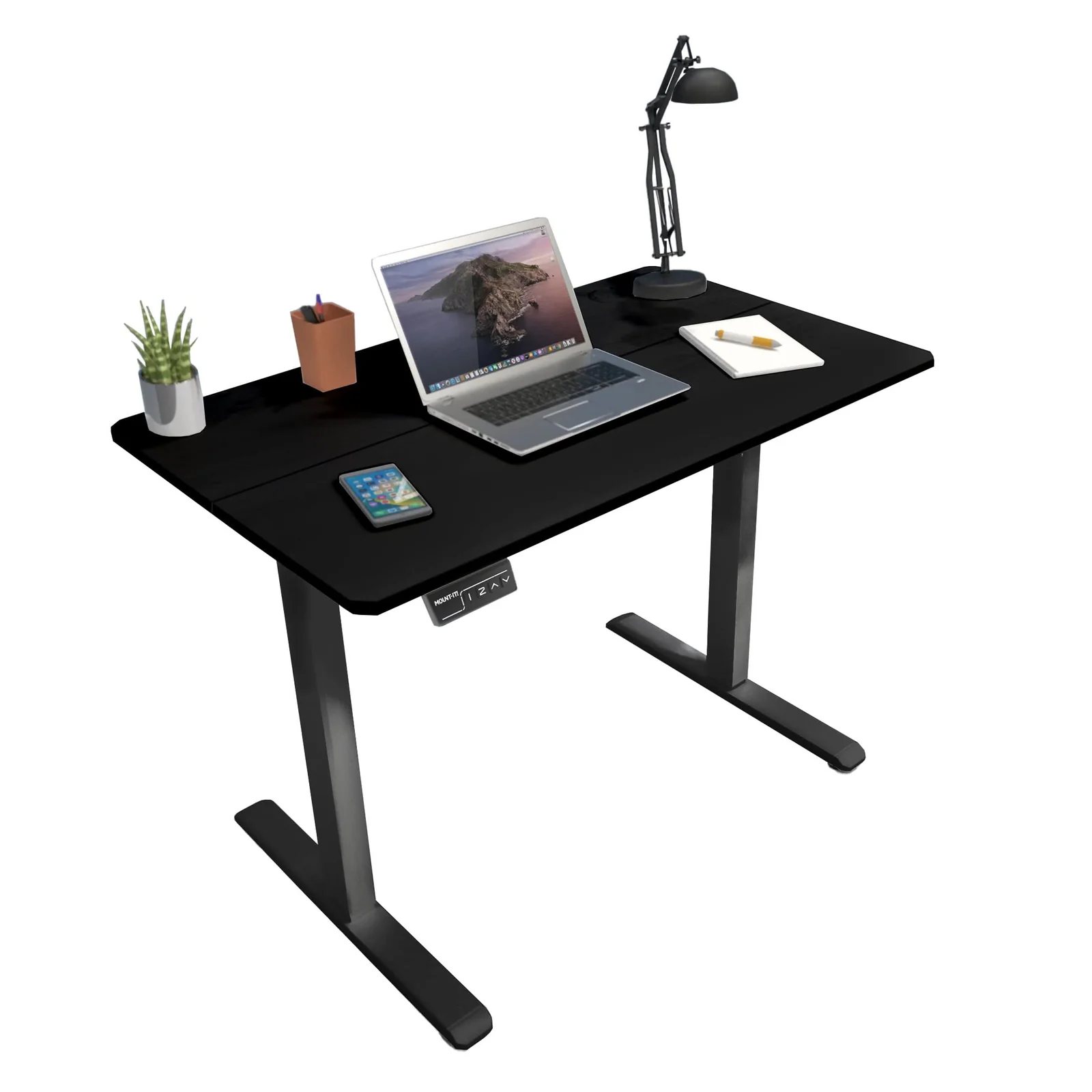
Mount-It! Compact Electric Standing Desk with 40 inch tabletop
A whole desk, cheaper than a converter
Top
39.4 × 23.6 in
Lift
28.7–46.5 in
Holds
154 lb
Model
MI-8035
Reasons to buy
A published 154 lb capacity, almost five times either converter, so a monitor on an arm and a laptop are inside the rating
It costs less than the Mount-It! converter on the same brand's own store, which is the fact that settles most of this argument
A flat 39.4 by 23.6-inch top at every height — there is no tray, no step and nothing sitting on the desk
Two memory presets, a digital panel, and a lift speed Mount-It! quotes at 0.8 inches a second under 55 dB
Reasons to avoid
You have to get rid of the desk you own, which is a real cost in a flat with no storage
Assembly is a frame, a top and a motor rather than unboxing a riser
The strongest argument for a compact standing desk is arithmetic, not ergonomics: on Mount-It!'s own store this desk is cheaper than Mount-It!'s own converter, with roughly five times the published capacity.
The second argument is what it looks like at 9 pm. A converter is always visibly a converter; this is a desk that happens to move.
Not the right fit if you rent furnished and the desk is not yours to replace.
The least expensive way into sit-stand working, and it needs no assembly beyond lifting it onto the desk
A pneumatic spring rather than a motor, so there is no power lead and nothing to add to the cable run
Six widths from the same product, starting at 25.6 inches, so it can be sized to a narrow desk rather than overhanging it
Twenty inches of travel, more than the Mount-It! converter's 16, which matters if you are tall
Reasons to avoid
Fifteen and seven tenths of an inch deep, the shallowest top here — a 27-inch monitor's stand fills it
Thirty-three pounds on the desktop and 4 on the keyboard tray
At its lowest it still stands 4.5 inches above the desk, so the monitor is permanently raised whether you want it or not
This is the honest budget answer, and the 4.5-inch resting height is what to understand before buying. That step is there every day, and on a 29-inch desk it puts a monitor higher than most people want it seated.
It works well on a deep desk with the monitor on an arm clamped to the desk rather than standing on the converter — then it carries a keyboard, a mouse and a laptop and 33 lb is generous.
Not the right fit if your desk is under 22 inches deep — there will be nothing left behind the keyboard.
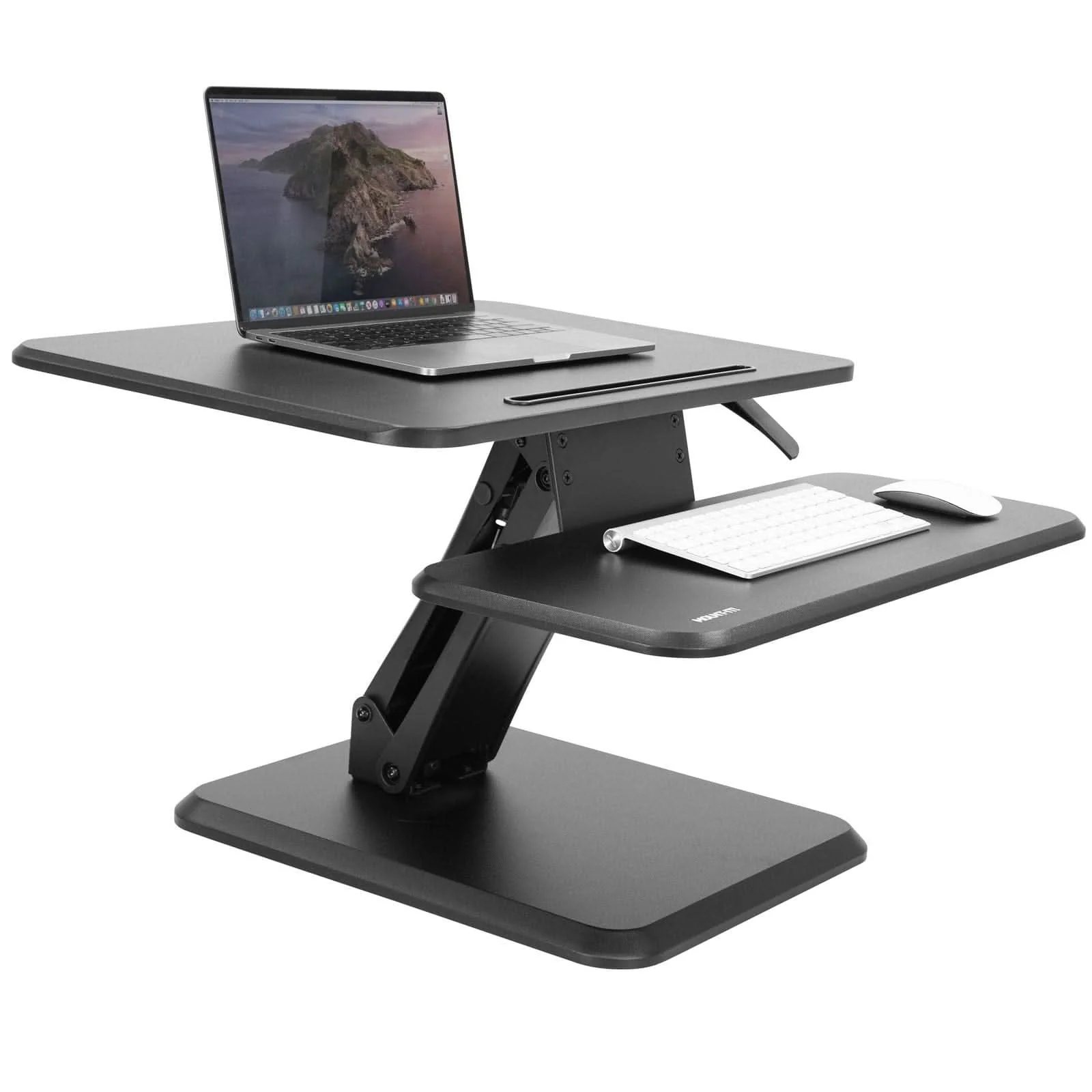
Eighteen inches of depth on the top platform, two and a bit more than the VIVO, which is the difference between a monitor fitting and not
A 15.75 by 19.75-inch base, small enough that a 40-inch desk still has usable space either side of it
Gas spring rather than pneumatic, and Mount-It! states it is designed to meet or exceed the ANSI/BIFMA standard
A 13-inch device slot molded into the top for a phone or tablet, which keeps one more object off the desk
Reasons to avoid
It costs more than the whole Mount-It! standing desk above, for a fifth of the published capacity
Sixteen inches of travel is the shortest here — check it against your standing elbow height before buying
Thirty-three pounds total, and the 25.25 by 10.6-inch keyboard tray is rated to 33 lb of that shared load
As a converter this is the better of the two: deeper top, smaller base, a published standards claim. The problem is the price next to a complete desk from the same brand with five times the capacity.
It makes complete sense in one situation: you own a desk you like, it is deep enough, and you will not replace furniture to sometimes stand up.
Not the right fit if you are willing to replace the desk — the MI-8035 costs less and does more.
Best standing desk if it has to look like furniture
Image: Branch
Branch Duo Standing Desk
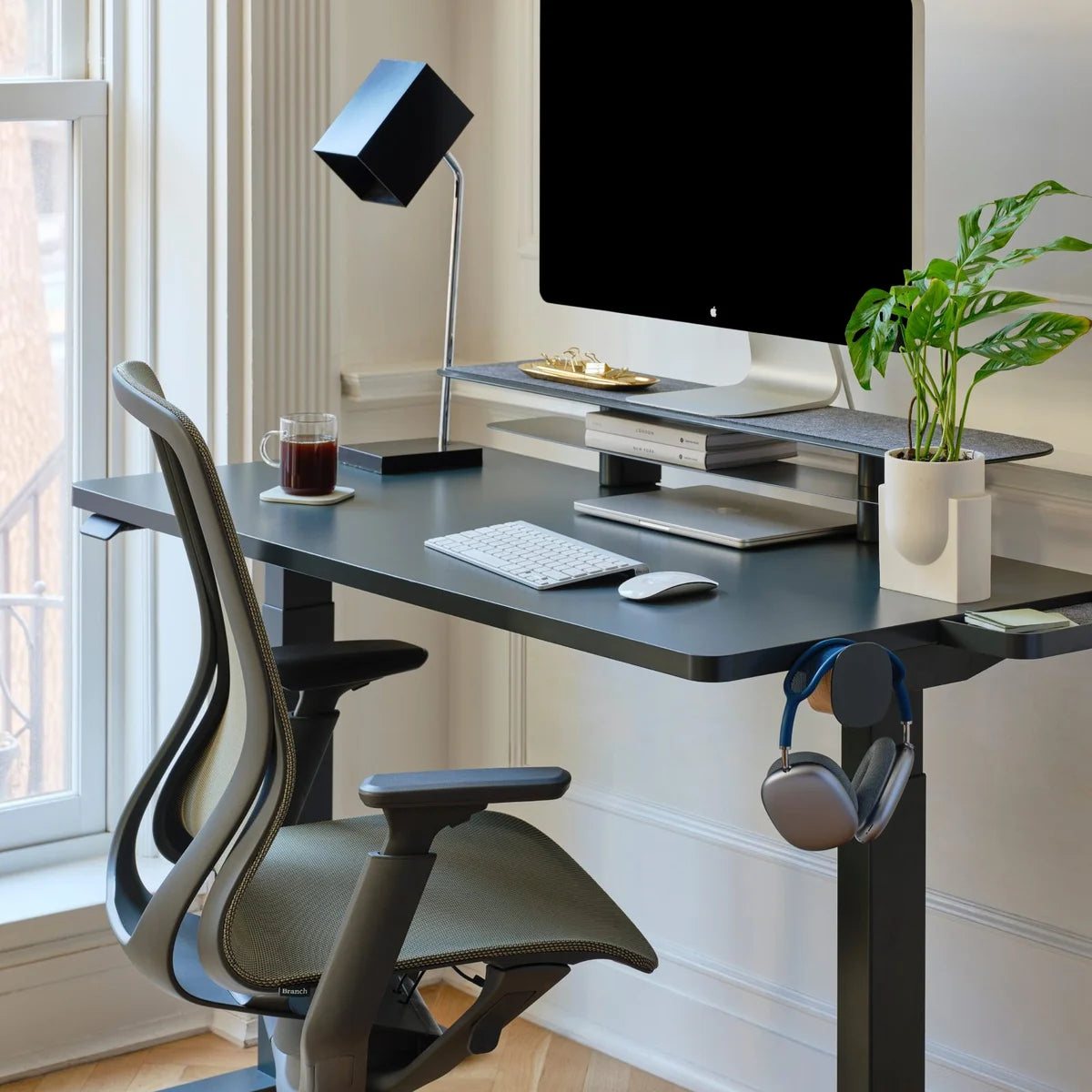
A 36-inch sit-stand desk that reads as furniture
Top
36 × 24 in
Lift
19.3 in range
Holds
Not published
Model
Duo
Reasons to buy
A genuine 36 by 24-inch size, the smallest full sit-stand desk in this guide, and Branch designs it for studio apartments
A frameless design with no crossbar, which is what keeps the underside clear and the silhouette light in a small room
A 19.3-inch adjustment range, two height presets, collision detection and programmable standing reminders
Laminated MDF or oak veneer on powder-coated steel, with threaded inserts for the matching cable accessories
Reasons to avoid
Branch publishes a 65 lb product weight and no load rating, so heavy multi-monitor use is unstated
It costs roughly three and a half times the Mount-It! desk for a top that is 3.4 inches narrower
Two boxes and an assembly, which in a third-floor walk-up is a consideration
Everything else here looks like office equipment. This looks like a table, which matters when the desk is four feet from a bed and you look at it all evening.
You are paying for design and finish, not mechanism: the lift range is unremarkable and the load rating unpublished. It is the only one here you would not want to hide.
Not the right fit if budget is the binding constraint — the MI-8035 is the same idea for a fraction of the outlay.
Nothing here has been raised or lowered by us. Every dimension, lift range and capacity is quoted from the manufacturer's own product page, and those pages are linked in Sources.
Prices were fetched from each maker's own store and the live retail pages on 12 September 2026 and sorted to set the bands. That sort produced the central finding: one converter costs more than a complete standing desk from the same brand.
Both were judged against the same room — a bedroom corner with a desk 15 to 24 inches deep — and the same load: one monitor, a laptop, a keyboard.
CCOHS's sit-stand guidance set the height test: the platform lands at standing elbow height, monitor between horizontal and 35 degrees below the line of sight.
The verdict
Buy the desk if you can. The Mount-It! MI-8035 costs less than the same brand's converter, publishes 154 lb against 33, and leaves a flat top at every height — which in a small room is the difference between furniture and equipment.
Buy the converter if the desk is not yours to replace, or if you own one you actually like and it is 24 inches deep or more. The Mount-It! MI-7957 is the better of the two on depth and base size; the VIVO K Series is the cheapest way to try standing at all.
If the desk has to look like furniture rather than equipment, the Branch Duo is the only one here that does — at roughly three and a half times the money.
Check price at AmazonBest standing desk for a small room: Mount-It! Compact Electric Standing Desk with 40 inch tabletop
Questions people ask
Is a converter cheaper than a standing desk?
Not reliably. On Mount-It!'s own store the converter costs more than the 40-inch electric desk, and the desk publishes 154 lb of capacity against 33. Check both from the same brand.
How much desk does a converter take away?
All of the footprint it stands on, permanently. The VIVO base covers about 25.6 by 15.7 inches, the Mount-It! 15.75 by 19.75 — a third to a half of a 40 by 24-inch desk.
How high should the desk be when I stand?
CCOHS says the platform sits at roughly your standing elbow height, forearms parallel to the floor and elbows near 90 degrees. Measure floor to elbow standing and compare: 46.5 inches on the Mount-It! desk, 20 inches of lift above your desk on the VIVO.
How long should I stand for?
CCOHS says recommendations vary from 5 minutes in every hour to switching every 20, 30, 45 or 60 minutes, and that the key factor is alternating rather than the schedule.
Can I put a monitor arm on a converter?
Usually, on the rear edge of the upper platform — but both converters publish 33 lb for the whole desktop, and a 20 lb arm plus a 12 lb monitor is already at the limit. Clamp the arm to the desk itself instead.